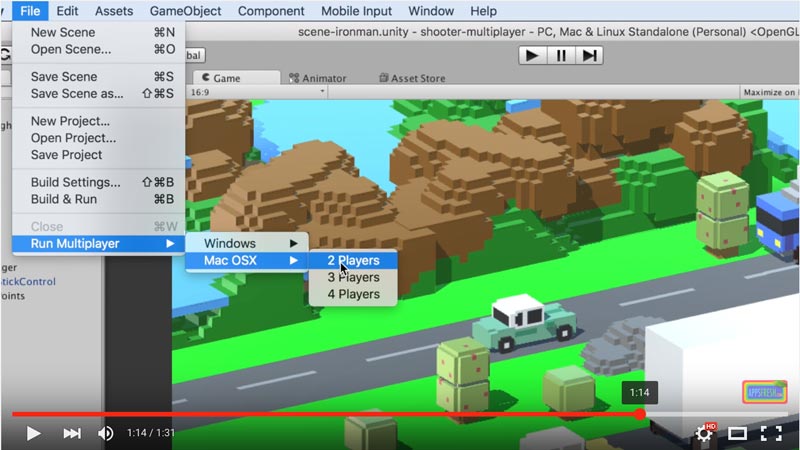
When you create a multiplayer game in Unity, testing can become quite a pain in the neck because you need to have at least 2 players running at the same time to try out multiplayer functionality, just like if 2 players where running the game each one on their own computer.
The is no other way to test Unity UNET networking unless you create a host server game and a client game running in parallel.
Luckily, the AppsFresh.com team has made a Unity script that will simplify your life as you can build and run 2 to 4 Unity players simultaneously, just by dropping the MultiplayersBuildAndRun.cs file in your assets folder. Create an Editor folder within the assets folder if you don’t already have one there. Then drag and drop the MultiplayersBuildAndRun.cs file in that folder.
You can now go to the Unity menu, under “File”, you will find the “Run Multiplayer” sub menu item then select windows or MAC OS and select the number of concurrent players you’d like to test.
This is it! This is a huge time saver when it come to trying out Unity3D’s UNET multiplayer features.
Enjoy!
Here is the file