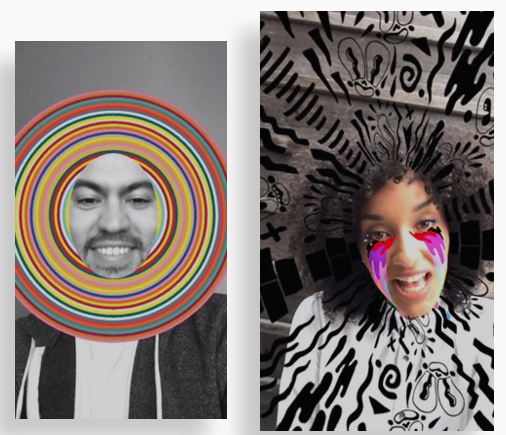
The Facebook new Camera app lets you add augmented reality items on top of your live photos or video streams.
Let’s take a look at how to make your own Facebook Messenger Augmented Reality (AR or VR) stickers, frames, animations and more.
You can create simple frames or stickers using Frame studio. Use any program that can make .png image files because this file format allows transparent areas to allow users to be only partly covered by your image layer. (Photoshop or Gimp.orgare great tools for creating png files).
The image will appear in landscape and portrait mode, feel free to select its edges to scale it or edit it.
Now when you want cooler stuff, you will have to use the developer tool called AR Studio (ARStudio) for Facebook Camera.
With AR Studio, you can easily add face tracking to allow you to put objects (such as sunglasses or hats) on top of the dummy face area. The menu is simple and allows you to easily add world effects, load 3D models and textures (formats are unknown at this time but we expect .FBX file to be the standard), add layouts and display text.
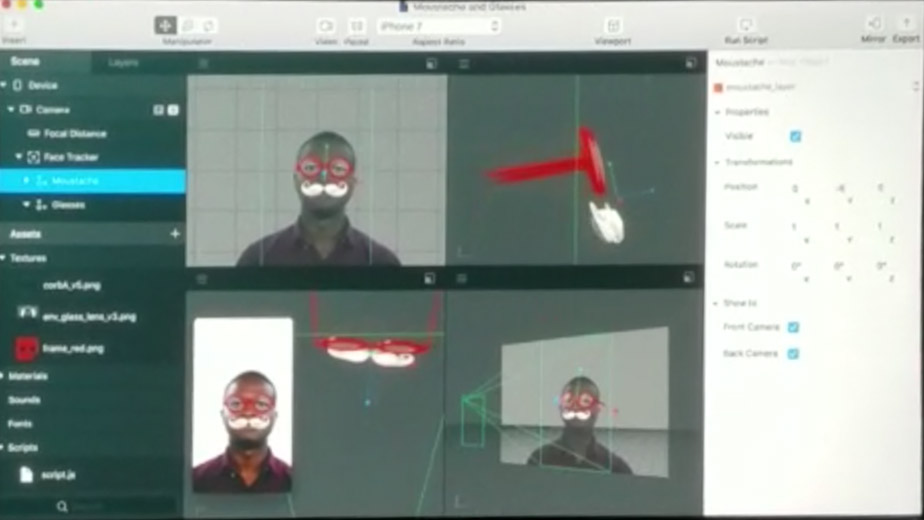
The left-hand side menu is split into two major tabs, the asset tab, and the scene tray
The asset tab is your library of assets (frames, text, logos, stickers etc..) you can drop and drop into the live preview screen.
It allows you to create masks, motions, and animations.
The scene tray shows your all the objects currently in your live preview, with their corresponding hierarchy. You can easily move objects’ hierarchy to move them backward or to the front.
To the right-hand side, you’ll find the inspector tab which allows seeing details about any of your objects in the scene. You can find an object’s position, size, rotation and much more attributes.
AR Studio has real time tracking that allows objects to follow your face while still being animated. You can place objects, pan the phone view and still have the objects stick to their original place.
Some effects include cheering and confetti.
You can also respond to hashtags straight from your live video.
Imagine all the possibilities!
Here are some examples of what you can build: leave directions, pieces of information, leave directions, or interactive objects.
Hand tracking, body tracking are also part of the Facebook camera SDK but have not been officially released yet.
It’s also been said you can remove real objects (and people) from a picture or live video.
In VR you feel this is actually you, not just another avatar. it feels a lot more real than just a phone or monitor screen.
Facebook spaces:
Facebook spaces is a Virtual Reality chat room. You get a virtual you (lifelike avatar) that can show multiple facial expressions. You get the standard chat functionality like sending and receiving messages, talking, sharing pictures, but this time you are showing the “real” you into VR. At the moment, you need to have an Oculus Rift device to use Facebook spaces as a virtual avatar or you can call in as a video stream using nay regular smartphone or computer
FB space rooms cannot have more than 4 people at the same time within a room at the moment.
You can share 360 photos and videos to watch and experience together with your friend.
Facebook spaces also have a virtual selfie stick so that you can take virtual pictures of your virtual you with your virtual friends in a virtual world (yes, it sounds kinda awkward when you haven’t tried it yet)
Facebook spaces allow calling any friends that aren’t in the virtual reality and appear just like you’d make a video phone call.
You can also play games with your friends in the virtual world, or play your favorite music and share it with your avatar friends.
If you’re a brand, company or agency that needs your own camera elements, please contact us at info at appsfresh
How to create Facebook Messenger Chat extensions course
https://developers.facebook.com/docs/messenger-platform/guides/chat-extensions
Facebook Discovery tab allows you to find local business and brands and explore new products and services.
Facebook Game tab will allow live multiplayer game and turn-based multiplayer (turn by turn)
[mauticform id=”2″]
Facebook Augmented Reality camera.
http://developers.facebook.com//products/camera/-effects/ar-studio
Facebook augmented reality camera is new when it comes to visual Apps. It is not typical application or filter that give the life the picture, but also it gives more realistic visualization.
People could be more artistic with this new feature and gives more life to social media. with these features, create a full spectrum of camera effects, augmented reality. AR studio is giving more responsive everything around you.
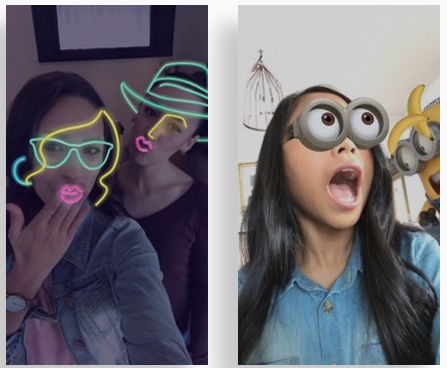
You can give more exciting and colorful in your photo using visual effects.